Installing the app: what you actually need to know
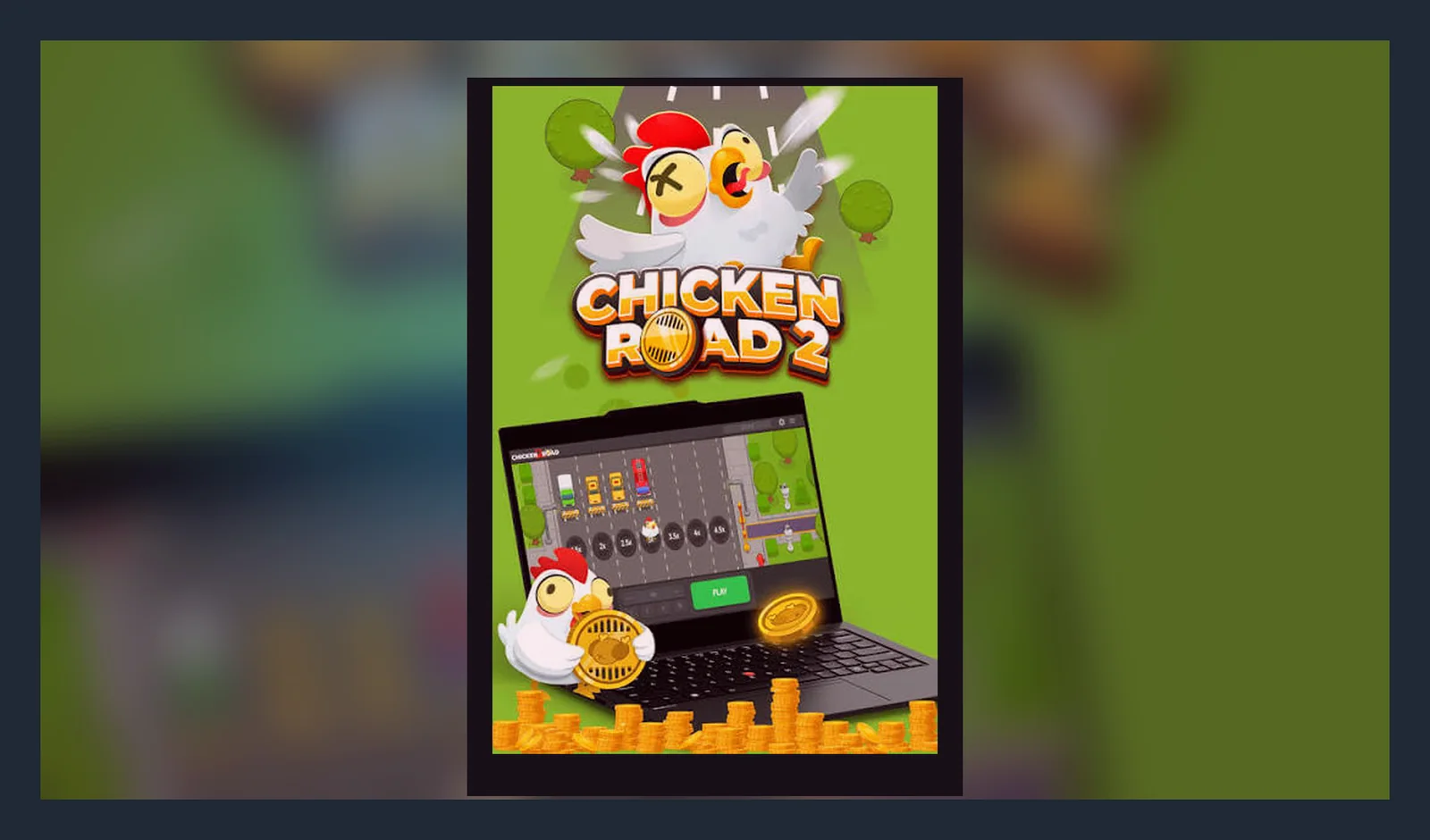
Here's the thing that changes everything for British players: Google Play and the App Store do allow real-money gambling apps from UKGC-licensed operators, but most crash games — Chicken Road 2 included — run in your mobile browser or as a progressive web app. You won't find a standalone «Chicken Road 2 by [provider]» listing next to Candy Crush.
That means the main question support hears isn't «Where's the download button?» It's «Is this the real game or a fake?» This page walks through the four ways you might install or launch Chicken Road 2 on your phone, what each path looks like step by step, which red flags signal a clone, and what the app actually does once it's running.
The game card: what you'd see in a store listing
If Chicken Road 2 were packaged as a standalone app, here's the metadata you'd read before tapping Install. In practice, you'll see some of this inside an operator's casino app or on the mobile site, but the logic is the same: version numbers, update dates, and permissions tell you whether you're looking at the real thing or a knock-off.
Those numbers are consistent with a popular crash title on UKGC sites. If you see 10 million downloads and a 4.9 rating on an APK from a Telegram channel, that's a fabricated listing.
Four install paths and what each one looks like
Most players land on Chicken Road 2 through one of these routes. Each has a different risk profile, and support sees confusion around all four.
- Browser play (lowest friction, zero install). Open the operator's mobile site in Safari or Chrome, log in, navigate to Chicken Road 2, tap Play. The game loads in the browser tab. No permission prompts, no storage beyond cookies and cached assets. Risk: virtually none if the domain matches the UKGC register. Fake sites sometimes buy ads on search engines; always verify the licence number in the footer before depositing.
- Add to Home Screen (progressive web app). On the game page, tap the browser's share icon (iOS) or menu (Android), then «Add to Home Screen». An icon appears on your home screen; tapping it launches the game in a chromeless window. Feels like an app, behaves like a bookmark. The operator's server still hosts the code. Risk: low, but only if you added the shortcut from the real domain. If someone sends you a shortcut file or a link that installs one automatically, it could point to a phishing clone.
- Operator's casino app (Google Play / App Store). Some UKGC-licensed casinos publish their own apps; Chicken Road 2 sits inside the game lobby. Download the operator's app from the official store, log in, search for Chicken Road 2, launch. The app wraps the mobile site in a native shell and may cache game assets. Risk: low if you install from Play or the App Store and the operator's UKGC licence is current. Scam apps do slip through store review occasionally; cross-check the developer name and read recent reviews for complaints about deposits vanishing or KYC being ignored.
- APK sideload (Android only, highest risk). An APK file downloaded from a third-party site, Telegram group, or file-sharing link, installed with «Unknown sources» enabled. Risk: high. APKs bypass store vetting; you have no guarantee the code is unmodified. Common threats include wallet-draining malware, fake deposit screens that send money to the attacker's account, credential theft, and backdoored RNG that makes the game unwinnable. Support cannot help if you deposit through a fake app; your bank may refuse a chargeback because you authorised the payment. Only install APKs from the operator's own domain if they explicitly offer one, and verify the domain against the UKGC register first.
What your phone needs to run it
Chicken Road 2 is lightweight by modern standards, but older devices will struggle with the animation and live multiplier updates.
- iOS: 13.0 or later. iPhone 7 and up. Works on iPad, but the interface is phone-sized; no tablet layout.
- Android: 8.0 (Oreo) or later. 2 GB RAM minimum; 3 GB or more recommended for smooth 60 fps rendering.
- Browser: Safari 13+, Chrome 80+, Firefox 78+, Edge 80+. The game uses WebGL for the road graphics; very old browsers may show a static grid instead.
- Network: 4G or Wi-Fi. The game streams multiplier data in real time; on 3G you'll see lag between the round ending and your result appearing, which feels like the game is rigging the outcome (it's not; it's just latency).
- Storage: 12–15 MB cached on first launch. The app stores session tokens and preferences in local storage; if you clear browser data, you'll stay logged in but lose display settings.
If you're on an iPhone 6 or a budget Android with 1 GB RAM, browser play will work but expect stuttering animations during high-traffic hours.
What the app does (and what it doesn't)
Three screens make up the core experience:
- The game board: a scrolling road with a chicken sprite. The multiplier climbs in the top corner. Tap «Cash Out» before the chicken meets an obstacle and you lock in your stake × the current multiplier. Wait too long and you lose the bet. Below the board: bet input (capped at £5.00 per round, or £2.00 if you're 18–24), auto-cashout slider, and recent-rounds history showing other players' wins and busts.
- Bet slip and balance: top-right corner shows your account balance in £ (minus any pending wagers), a deposit button that opens the cashier, and a withdraw button that triggers KYC if it's your first time. Faster Payments withdrawals hit your bank same-day to two working days after documents are approved; e-wallets are faster but less common for UK players since most use debit cards or Open Banking.
- Settings and limits: tap the gear icon for deposit limits (mandatory on UKGC sites), session reminders, reality checks (a pop-up every hour showing net win/loss), and links to GAMSTOP and BeGambleAware. The app won't let you set a limit above what affordability checks allow; if you've deposited £500 in a month, expect the operator to request payslips or bank statements before you can deposit more.
What's missing: no offline mode (server-authoritative RNG means every round needs a live connection), no demo play unless you log in first (UKGC age-verification rules), no credit-card deposits (banned for gambling since 2020), and no social features like chat or leaderboards in most implementations — it's a solo experience with a shared multiplier feed.
Version 2.1.4: what changed
The January 2026 update addressed three issues support heard repeatedly:
- Fixed: phantom «Connection lost» errors on 5G networks in London and Manchester. Turns out the WebSocket timeout was too aggressive; now it waits 8 seconds instead of 4 before dropping the session.
- New: stake-cap enforcement by date of birth. Players aged 18–24 now see a £2.00 maximum per round, with an explainer linking to UKGC guidance. Previously the cap was account-wide, which caused confusion when a 25-year-old's younger sibling used the same device.
- Improved: auto-cashout now respects fractional multipliers (e.g. 1.5×, 2.3×). Earlier builds rounded down, so setting auto-cashout to 2.5× would trigger at 2.0×. Fixed in 2.1.3, but 2.1.4 adds a confirmation tooltip so you know the exact trigger point.
- Behind the scenes: faster asset caching on repeat visits. First load still takes 10–12 MB; subsequent sessions pull only the 200 KB multiplier feed and session data.
Spotting fakes and risky permissions
Clone apps are common because Chicken Road 2's name ranks well in search. Here's what separates the real game from scam versions:
- Domain check: the URL in your browser or the app's «About» screen should match the operator's UKGC-registered domain. Look up the licence number at the Gambling Commission's public register. If the footer says «Curaçao licence 1234» or shows no regulator at all, it's not legal for UK players.
- Permissions on Android: a legitimate web-based crash game asks for Storage (to cache assets) and possibly Notifications (for deposit confirmations). Red flags: Contacts, SMS, Phone, Location, Camera (unless the operator does live-chat support with video, rare), Install Unknown Apps, Accessibility Service. If an APK requests those, it's either malware or an overreaching ad SDK; delete and run a scan.
- Payment flow: real UKGC sites send you to a PCI-compliant payment gateway (Checkout.com, Trustly, PayPal) in a new tab or overlay. Fake apps show a form asking for card details inside the app itself, with no redirect. If you enter your card number directly into what looks like the game's interface, you've just handed it to the attacker.
- KYC timing: age and identity checks happen before your first deposit or within 72 hours. If you've deposited £500 and never uploaded a document, the site is unlicensed. Conversely, if a site asks for a passport photo before you've even registered, it might be a phishing front collecting IDs to sell.
- Recent reviews: on Play or the App Store, sort by «Most Recent» and read the last two weeks. Sudden spikes in 1-star reviews mentioning «can't withdraw» or «support ghosted me» are a warning sign. Legitimate operators have bad days, but a pattern of unresolved withdrawal complaints means trouble.
Support's most frequent ticket: «I installed Chicken Road 2 from [random site] and now my balance shows £0 after I deposited £50.» If the domain isn't UKGC-licensed, your money is gone. No chargeback rights, no recourse. Verify first, deposit second.
FAQ
Do I need to download anything to play Chicken Road 2?
No. The standard way is browser play: open the operator's mobile site in Safari or Chrome, log in, tap the game tile. It loads in the browser tab, no install. You can add a home-screen shortcut for quicker access, but that's optional. Some UKGC casinos publish their own app on Google Play or the App Store; if yours does, Chicken Road 2 will sit inside the game lobby. Standalone «Chicken Road 2» apps on third-party sites are usually fakes.
Why does the game ask for my ID before I can withdraw?
UKGC age and identity checks. Every licensed operator must verify you're over 18 and that the payment method is in your own name. Credit cards are banned for gambling since 2020, so you'll use a debit card, PayPal, or Open Banking; the name on that account must match your ID. First-time KYC takes 24–48 hours; after that, withdrawals to the same payment method are faster — Faster Payments hit your bank same-day to two working days, e-wallets within hours.
I'm 22 and the app won't let me bet more than £2.00 per round. Is that a bug?
No, that's the UKGC stake cap for players aged 18–24. The £5.00 limit applies from age 25 onward. Version 2.1.4 enforces this by date of birth and shows an explainer if you try to raise the stake. It's not the operator's choice; it's UK law. When you turn 25, the cap lifts automatically.
Is there a safe way to install an APK, or should I avoid them completely?
Avoid unless the operator explicitly offers one on their own domain, and even then, browser play is simpler and lower-risk. APKs bypass store vetting, so you have no guarantee the code is unmodified. Common scams: fake deposit screens that steal your money, credential-harvesting login forms, and backdoored RNG. If you do install an APK, verify the operator's UKGC licence first, download only from their official domain (not Telegram or file-sharing sites), and check permissions before opening it. If it asks for Contacts, SMS, or Accessibility Service, delete it and run a malware scan.